
 AI-generated demo
FRIENDS & COUPLES
Your favorite plus-one
Bring your friendship to the booth.
THE TWO-PHOTO ORANGE-BOOTH VIDEO MAKER
Skip manual face swaps and complicated prompts. Upload two photos, choose your video settings and make an original orange-booth performance with both performers in frame. Download the 720p clip when it’s ready.
Add a photo for each side of the booth.
 READY-TO-USE TEMPLATEHotel Lobby · Orange Booth
Free launch preview · No sign-in required
ORANGE BOOTH, YOUR CAST
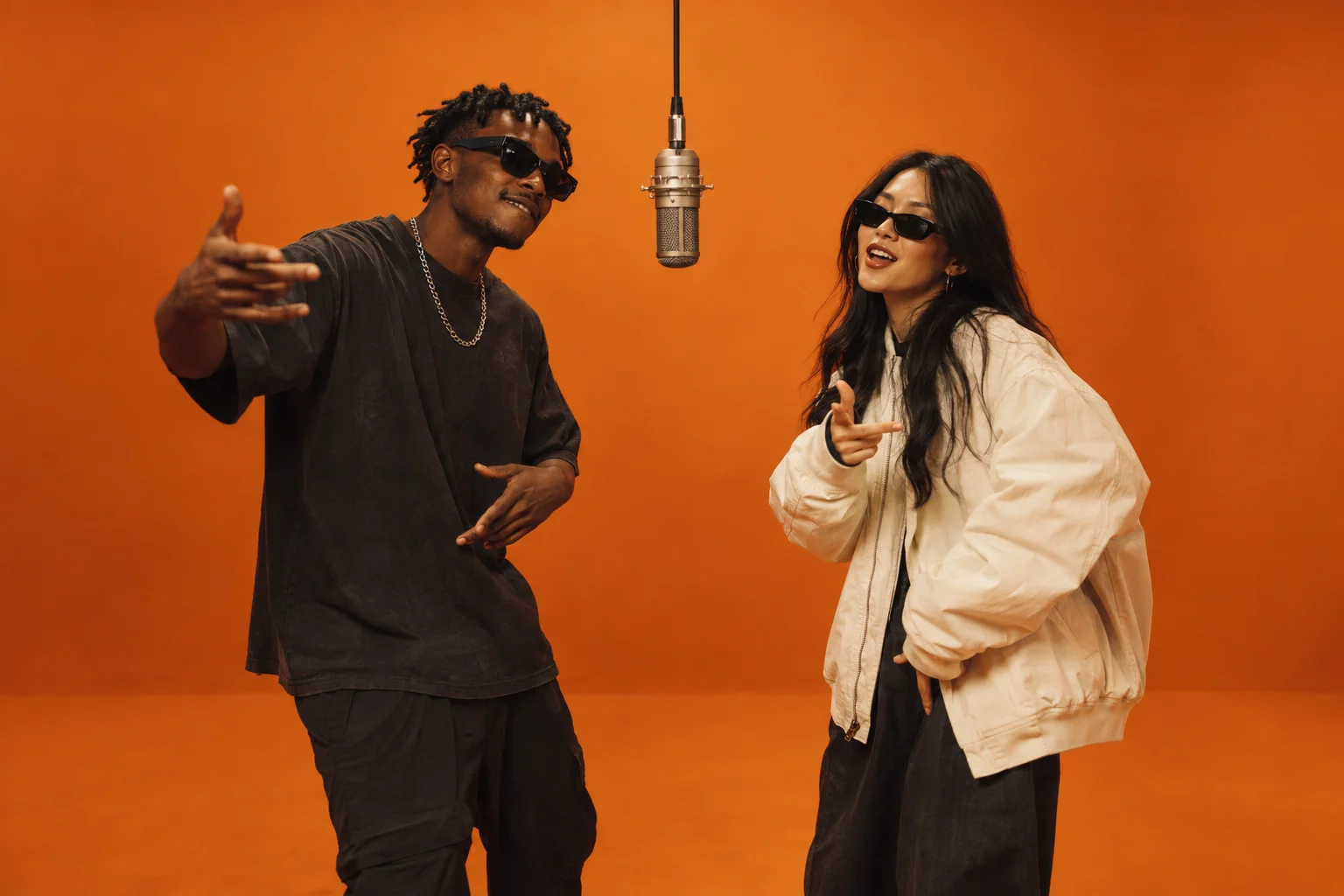
Friends, family or pets can take the two spots beside the hanging mic. These original examples show what you can make from separate photo references.
AI-generated demoFRIENDS & COUPLES
Bring your friendship to the booth.
 Creative concept
PETS & PERSONALITY
Big personalities. Very small paws.
 Creative concept
FAMILY DUO
Make an unexpected family duet.
FROM CAMERA ROLL TO CENTER STAGE
Upload one clear photo for each performer. Use a single subject, a visible face and even lighting. The first photo goes on the left; the second goes on the right.
Choose a portrait, landscape or square frame and a 5- or 10-second clip. The orange studio, hanging microphone and duo performance are already in the template.
Generate, preview and download your 720p video. Add the Hotel Lobby sound from your social app’s music library, then share your take with your friends.
BUILT FOR THE TWO-PERFORMER TREND
Give each side its own reference. Use separate, unobstructed portraits so the model has a clear view of both subjects.
A warm studio backdrop and hanging microphone set the scene. The template guides a shared rap-style performance while keeping both subjects in view.
Use 9:16 for TikTok, Reels and Shorts, or choose landscape or square. Every session is generated at 720p.
Try friends, couples, relatives or pets. Each generation creates a fresh performance rather than applying a fixed face-swap clip.
THE STORY BEHIND THE TREND
The Hotel Lobby AI trend reimagines Quavo and Takeoff’s orange-studio performance with unexpected pairs. The fun is in the casting: familiar faces, shared reactions and two very different personalities in the same frame.
Hotel Lobby AI lets you create a new performance from two reference photos. There’s no timeline to edit or face mask to trace. Choose your duo and let the booth bring them together.
BEFORE YOU TAKE THE MIC
It is a short-video trend inspired by Quavo and Takeoff’s Hotel Lobby performance in an orange studio. Creators use AI to put a new pair of people, characters or pets under the hanging microphone. Hotel Lobby AI creates a fresh, template-guided performance from your two photos; it does not edit or reproduce the original performance shot for shot.
Add one photo for the left performer and another for the right. Choose your video format and duration, confirm permission to use the photos, and select Generate my video. When processing finishes, preview your result and download it. You do not need to write a prompt.
Choose sharp photos with one clearly visible subject in each. Front-facing or gently angled portraits with even lighting are a good starting point. Avoid group shots, tiny faces, heavy filters and hands covering the face. JPG, PNG and WebP files up to 10 MB are supported. Photos are optimized before upload.
No. Original audio generation is optional, but the original recording is not included. To join the music trend, add the song from the licensed music library in TikTok, Instagram or another social app where it is available. The generated performance is not guaranteed to lip-sync to that recording.
Yes. You can try portraits of friends, couples or pets, using images you have permission to use. The model interprets both references, so recognizable details, motion and anatomy can vary, especially for animals or unusual pairings. Review the finished clip before sharing it.
This generator offers 5- and 10-second clips in 720p. Choose portrait (9:16), landscape (16:9) or square (1:1). Portrait works well for short-video feeds; landscape gives a duo more horizontal room.
Processing time depends on the current queue and the clip settings. Your session shows whether it is queued, generating or ready. Keep the page available and avoid submitting again while it is processing. If the wait is long, use Check my session to retrieve the same job.
Yes during the launch preview. You can generate a Hotel Lobby AI video without signing in while free capacity is available. To keep the preview available to more people, each visitor can start one video per minute.
No. The orange studio, centered microphone, left and right performer positions, and alternating gestures are already built into this generator. Upload one clear photo for each performer and select your settings. If you use another AI video tool, describe those same elements in your prompt.
This tool generates a new video from two reference photos. A face-swap filter or fixed CapCut template may reuse existing motion; results and controls vary between tools. You can add a licensed sound in your social app after downloading this video.
Selecting a photo keeps it in your browser until you choose Generate. The optimized files are then sent to our video processing provider, KIE, to run the generation. Provider-hosted files and results are temporary, so save your video promptly. Read the privacy notice for the current handling details.
HOTEL LOBBY AI
You bring the faces. We’ll bring the orange booth.